A PlayStation 5 that switches on but shows nothing on the TV is a frustrating sight. The console may light up, the fan may spin, and the power button may respond, yet the screen stays black. When the HDMI port is loose, bent, or damaged after a knock, a PS5 HDMI port broken fault can look exactly like that. The good news is that HDMI port replacement is a recognised repair for the PS5, including the original, Slim, and Pro models. The important question is how to get it fixed without guesswork, especially if you want onsite or same-day service.
Signs Your PS5 HDMI Port Is Broken
- The console powers on but the TV reports no signal.
- The picture cuts out when the HDMI cable is moved or adjusted.
- The cable feels loose, does not sit firmly, or falls out easily.
- You can see bent pins or physical damage inside the port.
- The problem started after a drop or after the console was moved while the cable was plugged in.
Not every no-signal fault is a broken port. A cable that has failed, a TV input that needs changing, or a loose connection can produce similar symptoms. A port that is visibly damaged, or a fault that began after physical stress, is a stronger reason to have the console inspected. One console owner described a PS5 that turned on fine but would not show anything on a TV, with the HDMI port suspected. That pattern is common enough that repair services treat HDMI port replacement as one of their most frequent PS5 jobs.
Why PS5 HDMI Ports Fail
The HDMI port is a physical connector soldered to the console board. A loose cable, a drop, or the console being moved while plugged in can break the port. Repeated strain matters too. If the cable is pulled sideways, or the console is pushed against a wall while the lead is connected, the solder joints and the port body can take the load. The result may be a cracked connection, a damaged pin, or a port that no longer holds the cable securely. Because the port is part of the board assembly, a proper fix is not just a matter of pushing the cable in harder or replacing the lead.

What a Professional PS5 HDMI Port Repair Involves
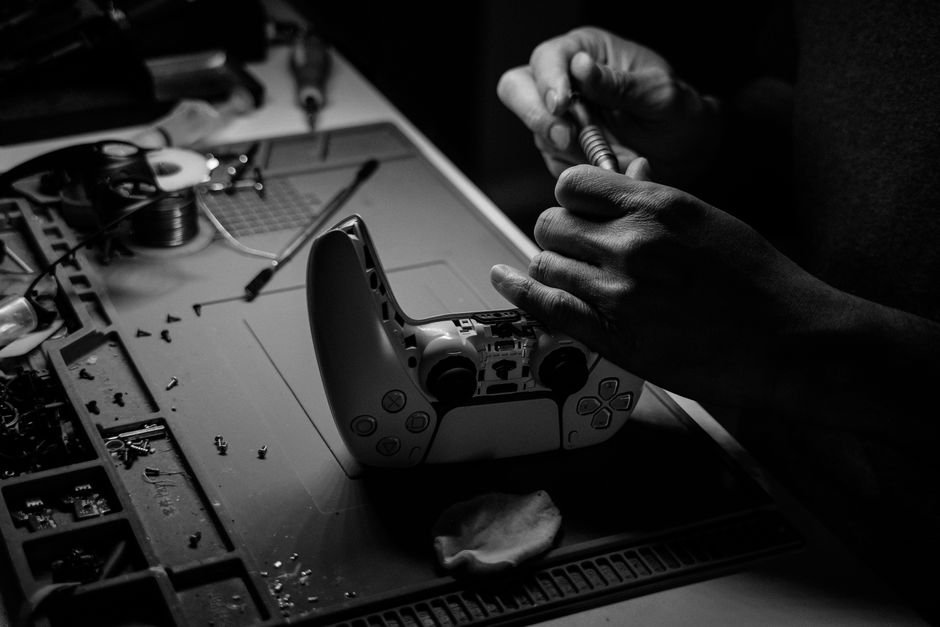
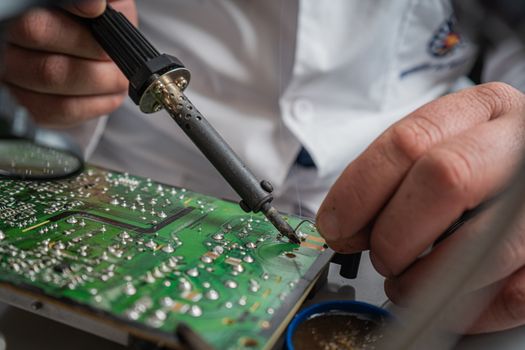
A professional repair follows a clear sequence. The technician removes the damaged port, cleans the pads, and solders on a new port. The console is then tested with multiple TVs and cables. That testing step matters because it checks the new port under real display conditions rather than only confirming that the console powers on. Repair services describe this as board-level work, and some also handle HDMI chip (retimer) repair when the fault goes beyond the connector itself.
Why Board-Level Skill Matters
Replacing an HDMI port requires more than swapping a plug. The old port has to be removed without damaging the board, the pads need to be clean, and the new port must be aligned and soldered correctly. A repairer who works at board level is better placed to spot related damage and to tell you whether the fault is limited to the port. If a service only offers a basic diagnosis, ask who performs the soldering and what testing follows.
Testing After the Repair
Testing with multiple TVs and cables is a practical way to confirm that the new port works across different setups. It also helps catch a cable that is contributing to the problem. Before you accept the repair, ask how the console was tested and whether the display was checked after the case was reassembled. A repair that works on the bench but fails when the console is moved has not been finished properly.
Onsite PS5 HDMI Repair: What to Ask Before Booking
Onsite repair means the work is carried out at your home or workplace rather than at a repair bench. That can be convenient if you do not want to pack and ship the console. It also raises practical questions, because HDMI port replacement involves soldering and board access. Ask directly whether the technician can carry out the full port replacement at your location, not just collect the console or diagnose the fault. Availability will depend on the repairer, your location, and the model.
- Does the quote cover port replacement, reassembly, and display testing?
- Does the technician carry the correct port for your PS5 model, including original, Slim, or Pro?
- Is the work backed by a warranty, and what does it cover?
- Can the console be tested with more than one TV and cable before handover?
- What happens if the inspection finds HDMI chip or retimer damage?
One repair service mentions a 90-day warranty on its HDMI port work, so warranty terms are worth confirming rather than assuming. If onsite work is not available for your address, ask about drop-off or mail-in options. Some repair services offer mail-in service, but turnaround and shipping risk should be discussed before you send a console.
Same-Day PS5 HDMI Repair: How to Improve Your Chances
Same-day service is not guaranteed. It depends on the repairer’s schedule, whether the right port is in stock, and whether the fault is limited to the connector. A console that has been dropped may have other board damage that only shows up during inspection. To give yourself the best chance of a same-day fix, describe the fault clearly when you book and confirm the model. Ask whether the repair will be done onsite or whether the console needs to be taken to a workshop.
- Tell the repairer that the PS5 powers on but shows no picture, and mention any drop or cable strain.
- Confirm your model, whether it is the original, Slim, or Pro.
- Ask whether the replacement port is in stock before you book a slot.
- Confirm the expected testing process and warranty terms.
- Ask what happens if the port replacement reveals further board damage.
A same-day booking is more useful when the repairer has the part and the time to test the console properly. Do not let speed replace testing. A rushed repair that is not checked with a display can leave you with the same no-signal problem after the technician leaves.
Broken HDMI Port vs Cable or TV Problem
Before you book a repair, rule out the simple causes. Check that the HDMI cable is fully seated at both ends and try a different cable if you have one. Try another HDMI input on the TV. If the console shows a picture with a different cable or input, the port may not be the fault. If the picture remains absent, and especially if the port is loose or visibly damaged, stop wiggling the cable and get the console checked. Continuing to force a damaged port can make the repair harder.
Is PS5 HDMI Repair Worth It?
For a console that powers on but cannot display, HDMI port replacement can be a sensible repair. Repair services list it as one of their most common PS5 jobs, which means the procedure is well understood. The decision still depends on the quote, the console model, and whether inspection finds board damage beyond the port. Ask for a diagnosis before authorising work, and compare the repair cost with the cost of replacing the console. If the repairer cannot explain what will be replaced and how it will be tested, keep looking.
Frequently Asked Questions
These are the questions readers ask most often about a PS5 HDMI port broken fault and the repair process.
Can a broken PS5 HDMI port be repaired?
Yes. Repair services replace damaged HDMI ports on PS5 consoles, including the original, Slim, and Pro models. The process involves removing the damaged port, cleaning the pads, soldering a new port, and testing the console with multiple TVs and cables. A repairer should confirm the exact fault before quoting, because board damage beyond the port can change the job.
Will my PS5 turn on with a broken HDMI port?
In some cases, yes. A console can power on normally but show no picture because the HDMI port is damaged. One owner described a PS5 that turned on fine but would not display anything on a TV, with the HDMI port suspected. Powering on does not prove the port is working, so display testing is still needed.
How long does a PS5 HDMI port repair take?
Repair times vary. Same-day service depends on the repairer’s schedule, part availability, and whether the fault is limited to the port. Ask the technician to confirm the expected turnaround before booking and whether the console will be tested before handover.
What should I ask before booking onsite PS5 HDMI repair?
Ask whether the technician will replace the port with soldering at your location, whether the correct port for your PS5 model is in stock, how the console will be tested, and what warranty covers the work. One repair service mentions a 90-day warranty, so confirm the terms you are offered.
Can a loose HDMI cable damage the PS5 port?
A loose cable, a drop, or moving the console while the HDMI cable is plugged in can break the port. The port is a physical connector soldered to the board, so repeated strain or a sudden knock can damage it. If the cable does not sit firmly or the picture cuts out when moved, stop using it and get the console checked.